
Hey guys! If you’ve been scrolling through AI debates lately, you’ve probably heard it a hundred times: “Just use ChatGPT,” or “Claude is the only one that matters.” Honestly? Both takes are too simple. I’ve used all four of these tools, and here’s the question I think people should ask instead: where is my business actually losing time, money, or good decisions? Once you answer that, the right tool gets a whole lot clearer.
In this Claude vs ChatGPT vs Perplexity vs Gemini guide, I’m breaking down Claude, ChatGPT, Perplexity, and Gemini the way a business owner would care about it: what each does best, where each falls short, and which one fits your daily workflow. Grab a coffee. By the end, you’ll know which tool to try first and why you probably shouldn’t buy all four on day one.
Claude vs ChatGPT vs Perplexity vs Gemini: Main Features
1. Claude: The Deep-Work Specialist
- Built for the heavy stuff: long documents, complex proposals, strategy prep, and process documentation.
- It’s moving from “answer my question” toward “help me work through a business process.”
- Memory features help it keep track of context over time.
- With the right permissions, it can connect to Microsoft 365 tools like email, calendars, OneDrive, and SharePoint.
- Enterprise controls and security checks around plugins and skills make it easier to manage in a company setting.
Best for: Consultants, agencies, and professional services teams that are drowning in written content and need a more organized way to handle it.
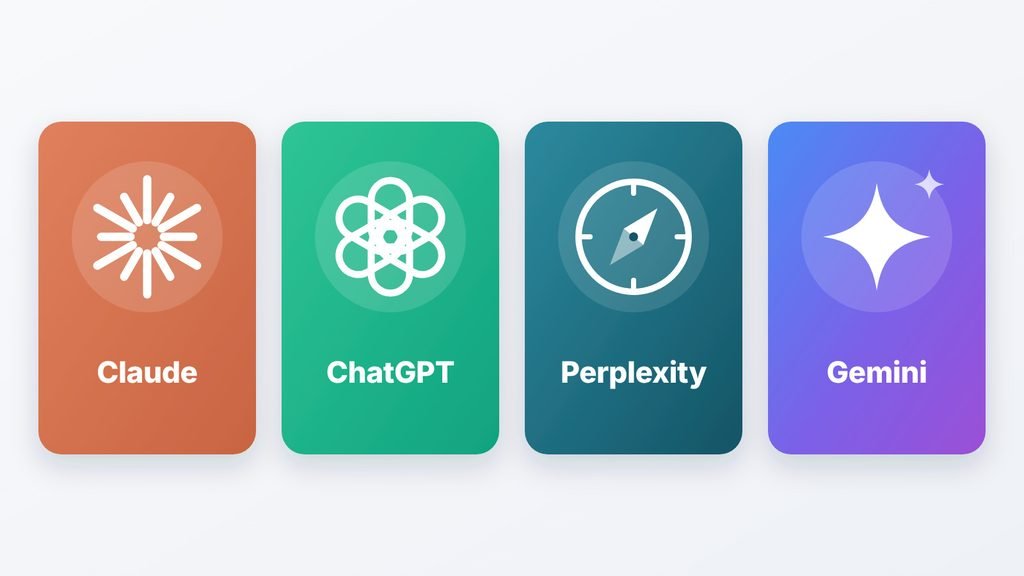
From my own use: I’ve had Claude write emails, scripts, and articles, and the writing sounds more natural to me than most tools I’ve tried. I’ve also thrown long PDFs at it to pull out information, and it handled them well. I’ve even had Claude draw simple vector illustrations, like the clean AI comparison graphic below. It’s flat, clean, and cartoon-style, so don’t expect photo-realistic images like you’d get from a dedicated image generator. But for simple graphics, it’s pretty handy.
The catch I ran into is that the free version ran out of messages pretty quickly. Also, the more access you give it, the more careful you need to be with permissions and approvals.
2. ChatGPT: The Flexible All-Rounder
- Covers brainstorming, writing, research, analysis, planning, and customer replies.
- Shared business workspaces and projects keep team work in one place.
- File handling, voice interactions, and connected apps make it feel like a real work platform.
- Its work-focused tools are pushing toward finishing multi-step tasks, not just chatting.
- It’s probably the easiest to start with, since you don’t need to pick a narrow use case.
Best for: Small businesses and founders who want one tool for lots of everyday tasks.
From my own use: it’s where I go when I want to type whatever’s in my head and just get something back, whether that’s writing, brainstorming, or explaining a topic I don’t understand. What bugged me is that unless I tell it exactly how to sound, the writing comes out kind of robotic. On the free plan, I also hit the message limit fast when I was using it heavily.
And here’s the bigger catch for teams: when a tool does everything, people use it for everything with no plan. One person writes posts, another does research, someone else summarizes meetings, and nobody agrees on shared prompts or what success looks like. Flexible isn’t the same as strategic.
3. Perplexity: The Research Engine
- Answers come from the web, with citations, so you can trace where information came from.
- Deep research mode helps you dig into a topic instead of skimming.
- It’s great for decision questions: Who are my competitors? What’s changing in my market? What are customers saying? What risks are out there right now?
- Comet, its AI browser, can read, summarize, and research across your open tabs.
- Comet’s agent can take on bigger tasks, and it’s designed to ask for confirmation before sensitive actions.
Best for: Marketers, consultants, investors, and founders who make decisions based on fresh, source-backed information.
From my own use: I treat Perplexity less like a chatbot and more like a replacement for Google Search. Instead of clicking through five ad-filled websites to find one simple answer, I ask a question and get a straight answer with source links I can check. I wouldn’t use it for brainstorming or creative writing, though. That’s not what it’s built for.
Big warning: a citation is not proof of accuracy. Open the important sources, check the dates, and compare conflicting info. It helps you find the signal, but you decide what it means.
4. Gemini: The Google Workspace Insider
- Lives inside Gmail, Docs, Sheets, Drive, Meet, and Calendar.
- Feels less like a new app and more like a feature of tools you already use.
- Google is expanding Gemini Enterprise, AI agents, and assistant features across its workspace apps.
- Helps with email, document drafts, spreadsheet analysis, meeting summaries, and finding project info.
- It may not be the best standalone AI, but it’s already close to your company’s information.
Best for: Teams that run their whole day inside Google Workspace and want AI without adding another app.
From my own use: because it connects straight to my Google account, I didn’t have to keep copying and pasting things between Gmail, Docs, and Drive, and that made everyday tasks and quick research easier. Where it slipped for me was very strict, complicated instructions. It didn’t follow those as well as Claude or ChatGPT did.
Integration helps, but it won’t fix a chaotic Drive or messy spreadsheets. It’ll just have access to the mess.
Step-by-Step: How to Get Started
Here’s the simple way I’d approach a Claude vs ChatGPT vs Perplexity vs Gemini setup without wasting money.
Step 1: Do a one-hour AI readiness check. Ask yourself four things. Where does your important knowledge live? Which tasks repeat and can be measured? Who will review the AI’s output? And what improves if this task gets faster?
Step 2: Pick one workflow. Just one. Proposal drafting, competitor research, or weekly client updates all work.
Step 3: Match the tool to the job. Complex documents? Try Claude. Broad daily help? Start with ChatGPT. Research? Go Perplexity. Google Workspace? Check Gemini first.
Step 4: Name an owner. Someone has to check the output. AI can sound polished and still be wrong.
Step 5: Set clear rules. Decide what the AI can do on its own, what needs human approval, and what data stays off-limits.
Step 6: Measure, then expand. Track whether the workflow got faster or more consistent. Add a second tool only when it has a clear role. Otherwise you’ve got a pile of subscriptions, not an AI stack.
Real Results & Benefits
These are realistic scenarios, not guarantees, but they show where each tool tends to fit.
- The solo consultant: She researches markets every week for client reports. Perplexity gives her a sourced starting point, and she double-checks the key links before anything goes out.
- The small service business owner: He handles proposals, social posts, and customer emails. ChatGPT becomes his daily assistant, and a shared prompt list keeps his brand voice consistent.
- The agency with piles of documents: Long contracts, process docs, and internal notes slow them down. Claude helps organize and draft, but only after they tidy up their processes first.
- The Google-based startup: Everything lives in Gmail, Docs, Sheets, and Meet. Gemini helps with meeting summaries and finding file info without app-hopping.
- The student side-hustler: Instead of paying for four tools, they pick one, build one repeatable workflow, and track the time saved before adding anything else.
The pattern across every Claude vs ChatGPT vs Perplexity vs Gemini test is simple: nobody won by owning the most tools. They won by matching one tool to one real problem.
Honest Cons
Let’s keep it real about Claude vs ChatGPT vs Perplexity vs Gemini.
- Claude: It works best when your systems are already decent, and the free version ran out of messages fast for me. It also won’t make photo-style AI images, only simple vector-style visuals. Deeper access means you must take permissions seriously.
- ChatGPT: Without clear instructions, the writing can sound robotic, and heavy use on the free plan hits the limit quickly. Without shared standards, teams also create tons of output with no measurable payoff.
- Perplexity: Citations can make an answer look more trustworthy than it is, and it’s not the tool for creative writing or brainstorming.
- Gemini: Its value depends heavily on being a Google Workspace company, and it can struggle with very strict, complicated instructions.
- All four: None of them can fix unclear positioning, weak processes, bad data, or missing ownership. AI adds capacity, not strategic clarity.
Final Verdict & Recommendation
So, in this Claude vs ChatGPT vs Perplexity vs Gemini comparison, what’s the best AI for business? There’s no universal winner, only the best fit for your workflow. Here’s the quick Claude vs ChatGPT vs Perplexity vs Gemini cheat sheet:
| Tool | Best For | Watch Out For |
|---|---|---|
| Claude | Complex documents and natural-sounding writing | Free limits, no photo-style images, needs clean processes and careful permissions |
| ChatGPT | Broad everyday business help | Robotic tone without direction, tool sprawl |
| Perplexity | Research and market intelligence | You still must verify sources |
| Gemini | Google Workspace teams | Weaker on strict instructions, less useful outside Google |
My recommendation by business type:
- Consulting or agency work: Perplexity for research, Claude for proposals.
- Small service business: Start with ChatGPT.
- Knowledge-heavy company: Look hard at Claude.
- Google Workspace company: Evaluate Gemini first.
Whether you pick Claude vs ChatGPT vs Perplexity vs Gemini, the goal isn’t to use the most AI. It’s to make better decisions, run more consistently, and get your own time back for strategy, relationships, and growth.
Now it’s your turn. Drop a comment telling me which tool you’re using (or thinking about) and what problem you want AI to solve first. And if this helped, subscribe for more practical, no-hype breakdowns. See you in the next one! Want to learn more about our tech and AI reviews? Visit our About Us page.